
Part 1. Introduction to Qiskit#
We will be using the following material for today’s session:
It is a GitHub repository where you will find the notebooks for the exercises we will be working on today.
I would recommend creating a new folder in your parent directory dedicated to the course.
Example: if you have a directory (or folder) called pyqm, you can create a subfolder called week6-qiskit, and download the notebooks from the repository into this folder. You can navigate to the specific notebook in the GitHub page, and download it by clicking on the “Download raw file” icon:
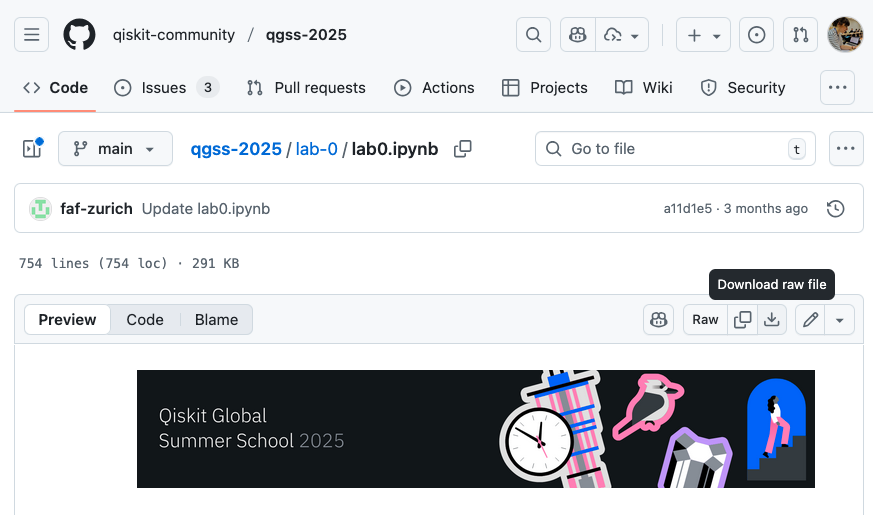
Then, open a jupyter notebook server so you can access the notebooks.
If you work on the terminal:
cd path/to/your/pyqm
jupyter notebook
If you open jupyter from Anaconda Navigator, you can navigate to that folder using the file browser.
Additional resources